Posts

The Mysterious Subframe Bushings: When Your Vehicle Clunks And Swerves And You've Done It All With No Resolution.

Image
Let me take you on a journey—a journey of frustration, mystery, and one miraculous discovery that had me simultaneously shaking my head and laughing out loud. It all began with my trusty (or so I thought) sedan, which started making some suspicious clunks and clanks that would make even a 1920s jalopy sound like a luxury ride.   The Symptoms That Launched a Thousand Google Searches It started innocently enough—uneven tire wear. “No big deal,” I thought, “probably just an alignment issue.” But soon after, I began noticing other strange things: the steering wheel felt like it was having its own dance party, shaking and vibrating whenever I hit the highway. As I drove, the car began pulling to one side, as if it had a magnetic attraction to ditches. All this was accompanied by a lovely soundtrack of clunks and knocking sounds, especially when I made turns or hit a bump.   Naturally, I did what anyone in my situation would do—I became an internet detective . I scoured ev...

Getting Speech-To-Text (Voice Recognition/Dictation) on Your Microsoft Virtual Keyboard To Work Through Your Firewall

Image
 Speaking to your phone or PC and getting it converted to text is a really useful piece of innovation that is not only beneficial to physically challenged individuals but any user of phones and computers. It is in this light that a malfunctioning Speech-To-Text feature on your device can be quite frustrating. One observation is that if you have a strict firewall policy, the speech-to-text feature on your Microsoft gadget or PC may not work at all. This is due to the fact that Microsoft relies on the Azure Cloud Speech-To-Text engine to convert your spoken words into written text. A standard firewall setup using any firewall that can selectively block executables may result in the Speech-To-Text feature on your gadget failing. SOLUTION: Add TextInputHost.exe to your firewall exception rules to allow this executable to access and communicate over the internet.  Once you have stopped your firewall from blocking TextInputHost.exe, you can proceed to test the Speech-To-Te...

Dealing With An Obscure Bitpay Payment Error - the wallet you are using does not match the network or currency of the address provided

Image
While using Bitpay to pay for some online purchases, I came across an error that was hard to decode and I could not find any appropriate mention and resolution on web searches. the wallet you are using does not match the network or currency of the address provided.  How it occurred was that I had loaded a cryptocurrency wallet with sufficient balance to pay the invoice of the service provider. The wallet had a token/coin that Bitpay has listed on their website that they supported (since they have their preferred blockchains) and also I was using a supported wallet (as Bitpay has a list of wallets they support).  Problem: However, attempting to pay the invoice with both Metamask and Bitpay's own on-chain wallets proved futile. Reason: It turned out that  Despite listing a bunch of currencies they support, at any point in time, specific one could be undergoing maintenance and that information will not be immediately displayed during the invoice payment. Also, they have a li...

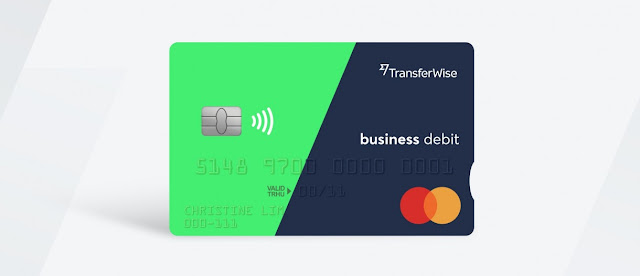
Does Wise (formerly TransferWise) Accept Hyperpay Cards (Hypercard) For Deposit? No They Don't.

Image
Doing international business from certain parts of the world can be a real headache. It's characterized by systemic and systematic barriers to ensure there is enough frustration, jumping through hoops and fees and charges to cripple even the most determined entrepreneur.  While cryptocurrency may be slowly leveling the playing field as it gains more acceptance, until full global adoption, businesses in particularly third-world and disliked countries are simply frustrated out of the market. Now Wise (formerly Transferwise) which is a business that provides virtual bank accounts, payment and remittance pathways require that to make use of the platform, one must first make a deposit of funds through one of their options for this activity. If you are lucky to have a debit or credit card, you may be able to use it to make this initial deposit and in some cases even withdraw funds to the card.  Here is were it gets murky. Wise has a bunch of reasons not to accept certain payment opt...

Never Let Your Business Domain Name Expire. Here is Why.

Image
The Importance of Renewing Your Business Domain  I recently experienced firsthand how stressful it can be when organizations lose their domain names due to oversight or changes in domain registration practices.  In my years of experience with web services and domain name management, I understood the typical domain name life cycle to be: 1. Registration - purchasing and securing the domain  2. Expiry/Renewal Grace Period - a window of time after expiration where the domain can still be renewed 3. Redemption Grace Period - an additional grace period where the domain can be recovered for a redemption fee 4. Availability for Re-Registration - when the domain returns to the open market for purchase  However, I learned the hard way that some top-level domain registrars are now hijacking expired domains and immediately passing them to new registrars for re-sale, without any redemption grace period. This practice of snapping up domains immediately after expiration is slyly l...

How To Test Live and Neutral Wires Of An Electric Circuit With A Voltage Tester Screwdriver

Image
  To test a live wire using a voltage tester screwdriver, follow these steps: Make sure the tester screwdriver is properly rated for the voltage you are testing. Touch the metal tip of the screwdriver to the exposed wire you want to test. Place your thumb on the metal cap at the top of the screwdriver. If the neon light in the handle of the screwdriver lights up, the wire is live. If the light does not light up, the wire is not live. Important safety precautions: Always turn off the power source before testing any wires. Be careful not to touch any other wires or metal objects while testing the live wire. Use insulated gloves and tools to protect yourself from electrical shock. If you are not comfortable testing a live wire, please consult a qualified electrician. Here are some additional tips for using a tester screwdriver: If the screwdriver is not properly rated for the voltage you are testing, it could be damaged or even cause a fire. Make sure the metal tip of the sc...

Dusk To Dawn Photocell Wiring Guide - Automating Your Outdoor Light

Image
  Photocells: The Magic of Automatic Lights Have you ever wondered how those fancy outdoor lights turn on and off automatically? It's all thanks to a little device called a photocell, or light sensor. Photocells are clever little gadgets that can detect changes in light levels and trigger an electrical switch accordingly. So, how do you connect a photocell to a power source and a light bulb to automate your lights? Here's a quick guide: Identify the wires. Photocells typically have three wires: a live wire (often black), a load wire (often red), and a neutral wire (often white). The live wire connects to the power source, the load wire connects to the light bulb, and the neutral wire connects to both the power source and the light bulb. Connect the live wire. Connect the live wire from the power source to the live wire on the photocell. Connect the load wire. Connect the load wire from the photocell to the live wire on the light bulb. Connect the neutral wire. Connect t...